C语言函数大全--i开头的函数


总览
| 函数声明 | 函数功能 |
|---|---|
unsigned imagesize(int left, int top, int right, int bottom); |
获取保存位图像所需的字节数 |
void initgraph( int *graphdriver, int *graphmode, char *pathtodriver ); |
初始化图形系统 |
int inport(int protid); |
从硬件端口中输入 |
void insline(void); |
在文本窗口中插入一个空行 |
int installuserdriver(char *name, int (*detect)(void)); |
安装设备驱动程序到BGI设备驱动程序表中 |
int installuserfont( char *name ); |
安装未嵌入BGI系统的字体文件(CHR) |
int int86(int intr_num, union REGS *inregs, union REGS *outregs); |
通用8086软中断接口 |
int int86x(int intr_num, union REGS *insegs, union REGS *outregs, struct SREGS *segregs); |
通用8086软中断接口 |
int intdos(union REGS *inregs, union REGS *outregs); |
通用DOS接口 |
int intdosx(union REGS *inregs, union REGS *outregs, struct SREGS *segregs); |
通用DOS中断接口 |
void intr(int intr_num, struct REGPACK *preg); |
改变软中断接口 |
int ioctl(int fd, int cmd, ...) ; |
控制 I/O 设备 |
int isatty(int handle); |
检查设备类型 |
int ilogb (double x); |
获取 x 的对数的积分部分(double) |
int ilogbf (float x); |
获取 x 的对数的积分部分(float) |
int ilogbl (long double x); |
获取 x 的对数的积分部分(long double) |
int isalnum(int c); |
检查字符 c 是否为字母或数字 |
int isalpha(int c); |
检查字符 c 是否为(大写或小写)字母 |
int isdigit(int c); |
检查字符 c 是否为数字(0 - 9) |
int isinf(double x); |
检查浮点数 x 是否为无穷大(正无穷或负无穷) |
int isnan(double x); |
检查浮点数 x 是否为非数字(NaN) |
int isspace(int c); |
检查字符 c 是否为空白字符,如空格(’ ‘)、制表符(’\t’)、换行符(’\n’)等。 |
char * itoa(int value, char *string, int radix); |
把一整数转换为字符串 |
1. imagesize
1.1 函数说明
| 函数声明 | 函数功能 |
|---|---|
unsigned imagesize(int left, int top, int right, int bottom); |
获取保存位图像所需的字节数 |
参数:
left:矩形区域左边界的 x 坐标(水平方向起始位置)。top:矩形区域上边界的 y 坐标(垂直方向起始位置)。right:矩形区域右边界的 x 坐标(水平方向结束位置,需满足 right >= left)。bottom:矩形区域下边界的 y 坐标(垂直方向结束位置,需满足 bottom >= top)。
1.2 演示示例
#include <graphics.h>
#include <stdlib.h>
#include <stdio.h>

#define ARROW_SIZE 10

void draw_arrow(int x, int y);

int main()
{
    int gdriver = DETECT, gmode, errorcode;
    void *arrow;
    int x, y, maxx;
    unsigned int size;

    initgraph(&gdriver, &gmode, "");

    errorcode = graphresult();
    if (errorcode != grOk)
    {
        printf("Graphics error: %s\n", grapherrormsg(errorcode));
        printf("Press any key to halt:");
        getch();
        exit(1);
    }

    maxx = getmaxx();
    x = 0;
    y = getmaxy() / 2;

    draw_arrow(x, y);

    size = imagesize(x, y-ARROW_SIZE, x+(4*ARROW_SIZE), y+ARROW_SIZE);

    // 分配内存以保存图像
    arrow = malloc(size);

    // 抓取图像
    getimage(x, y-ARROW_SIZE, x+(4*ARROW_SIZE), y+ARROW_SIZE, arrow);

    // 重复,直到按键被按下
    while (!kbhit())
    {
        // 擦除旧图像
        putimage(x, y-ARROW_SIZE, arrow, XOR_PUT);

        x += ARROW_SIZE;
        if (x >= maxx)
            x = 0;

        // 绘制新图像
        putimage(x, y-ARROW_SIZE, arrow, XOR_PUT);
    }

    free(arrow);
    closegraph();
    return 0;
}

void draw_arrow(int x, int y)
{
    // 在屏幕上画一个箭头
    moveto(x, y);
    linerel(4*ARROW_SIZE, 0);
    linerel(-2*ARROW_SIZE, -1*ARROW_SIZE);
    linerel(0, 2*ARROW_SIZE);
    linerel(2*ARROW_SIZE, -1*ARROW_SIZE);
}
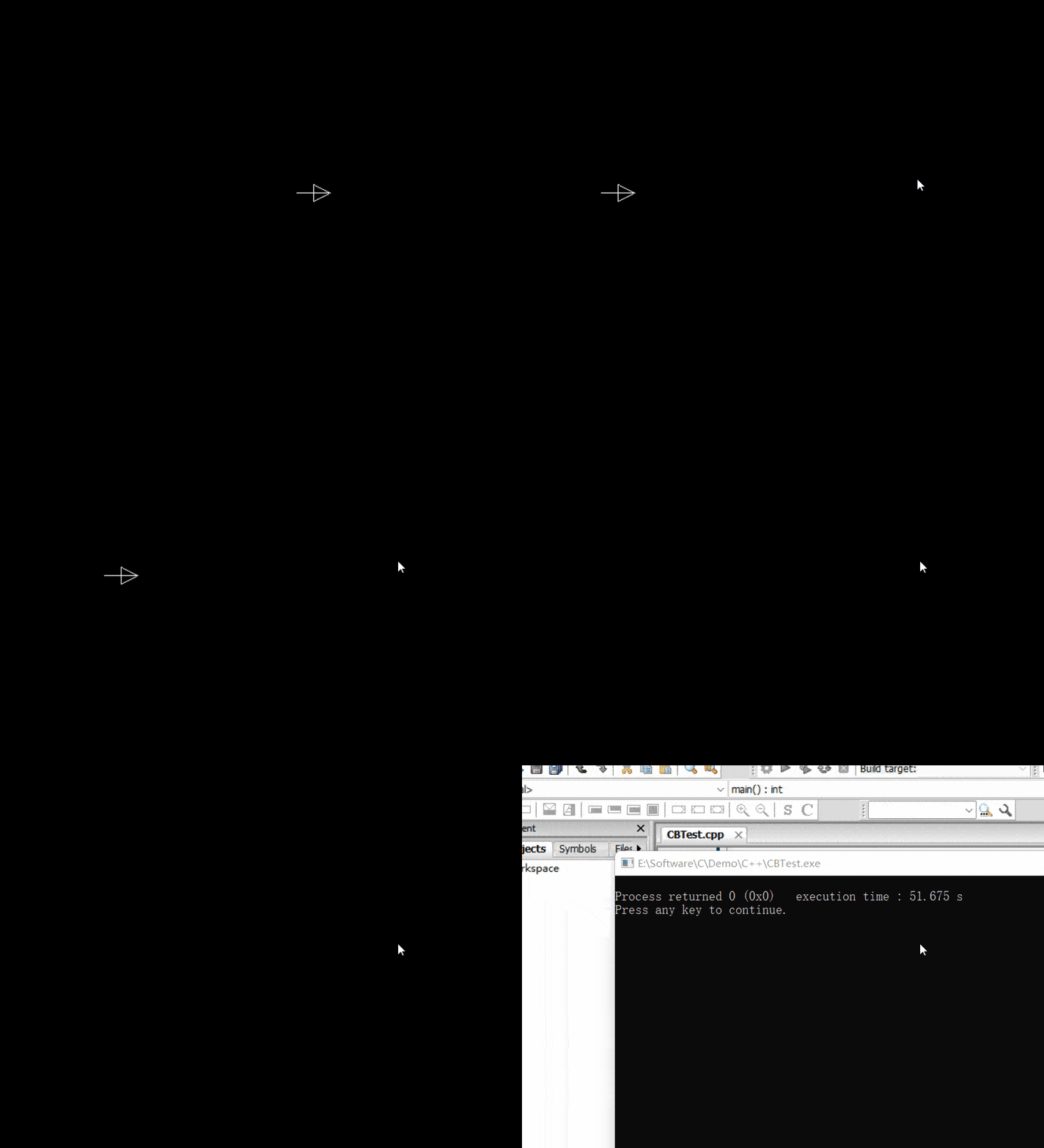
上述代码利用图形库实现了一个在屏幕上移动箭头图形的动画效果。
1.3 运行结果
2. initgraph
2.1 函数说明
| 函数声明 | 函数功能 |
|---|---|
void initgraph( int *graphdriver, int *graphmode, char *pathtodriver); |
初始化图形系统 |
参数:
int *graphdriver: 一个指向整数的指针。用于指定要使用的图形驱动程序。图形驱动程序是一组软件代码,负责与特定的图形硬件进行通信。常见的图形驱动程序有 DETECT(自动检测系统中可用的图形硬件并选择合适的驱动程序)、EGAVGA_driver(用于 EGA 或 VGA 显示器)等。int *graphmode:一个指向整数的指针。用于指定要使用的图形模式。不同的图形驱动程序支持多种图形模式,每种模式具有不同的分辨率、颜色深度等特性。如果graphdriver参数设置为 DETECT,则可以将graphmode指针指向的变量初始化为0,让系统自动选择合适的图形模式。char *pathtodriver:一个指向字符的指针。用于指定图形驱动程序文件的路径。图形驱动程序通常以.BGI为扩展名的文件形式存在。如果该参数设置为""(空字符串),则系统会在当前目录下查找图形驱动程序文件。
2.2 演示示例
#include <graphics.h>
#include <stdlib.h>
#include <stdio.h>

int main()
{
    int gdriver = DETECT, gmode, errorcode;
    // 初始化图形系统
    initgraph(&gdriver, &gmode, "");

    errorcode = graphresult();
    if (errorcode != grOk)
    {
        printf("Graphics error: %s\n", grapherrormsg(errorcode));
        printf("Press any key to halt:");
        getch();
        exit(1);
    }

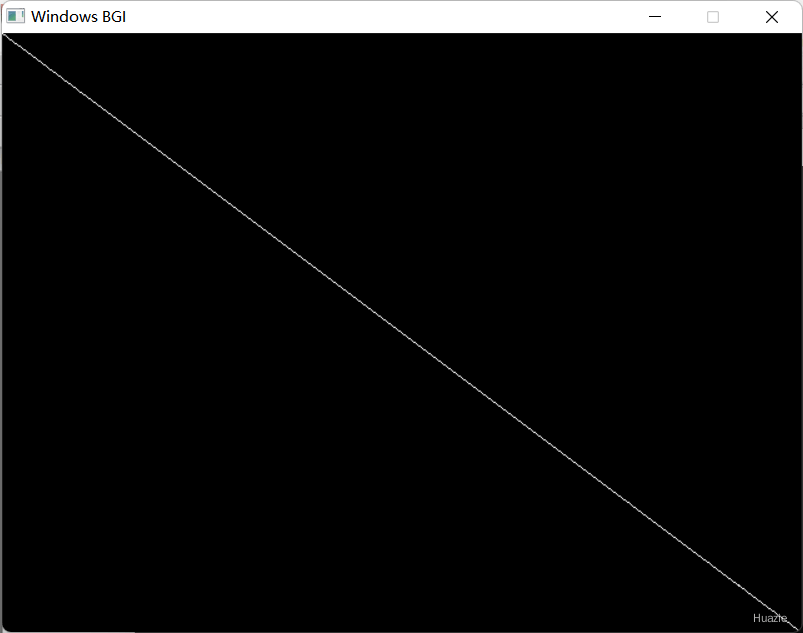
    line(0, 0, getmaxx(), getmaxy());

    getch();
    closegraph();
    return 0;
}
2.3 运行结果
3. inport
3.1 函数说明
| 函数声明 | 函数功能 |
|---|---|
int inport(int protid); |
从硬件端口中输入,即从指定的 I/O 端口读取一个 16 位(2 字节)的数据 |
参数:
portid:要读取数据的 I/O 端口号。不同的硬件设备会使用不同的端口号,比如,键盘控制器常用的端口号是0x60。在使用inport函数时,需要根据具体的硬件设备和操作需求来确定正确的端口号。
返回值:
从指定 I/O 端口读取到的 16 位数据。若读取过程中出现错误,返回值的具体情况可能因系统和硬件而异。
3.2 演示示例
#include <stdio.h>
#include <dos.h>

int main()
{
    int result;
    int port = 0;  // 串行端口 0
    // 从硬件端口中输入
    result = inport(port);
    printf("Word read from port %d = 0x%X\n", port, result);
    return 0;
}
4. insline
4.1 函数说明
| 函数声明 | 函数功能 |
|---|---|
void insline(void); |
在当前光标位置插入一行空行,原光标所在行及其下方的所有行都会向下移动一行 【在 Turbo C 等早期 C 编译器的图形库或控制台操作库中使用】 |
4.2 演示示例
#include <conio.h>

int main()
{
    clrscr();
    cprintf("INSLINE inserts an empty line in the text window\r\n");
    cprintf("at the cursor position using the current text\r\n");
    cprintf("background color.  All lines below the empty one\r\n");
    cprintf("move down one line and the bottom line scrolls\r\n");
    cprintf("off the bottom of the window.\r\n");
    cprintf("\r\nPress any key to continue:");
    gotoxy(1, 3);
    getch();
    // 在文本窗口中插入一个空行
    insline();
    getch();
    return 0;
}
5. installuserdriver
5.1 函数说明
| 函数声明 | 函数功能 |
|---|---|
int installuserdriver(char *name, int (*detect)(void)); |
安装设备驱动程序到BGI设备驱动程序表中 |
注意: 该函数在 WinBGI 中不可用
5.2 演示示例
#include <graphics.h>
#include <stdlib.h>
#include <stdio.h>
#include <conio.h>

int huge detectEGA(void);
void checkerrors(void);

int main(void)
{
    int gdriver, gmode;
    // 安装用户编写的设备驱动程序
    gdriver = installuserdriver("EGA", detectEGA);
    // 必须强制使用检测程序
    gdriver = DETECT;
    // 检查是否有任何安装错误
    checkerrors();
    // 初始化图形程序
    initgraph(&gdriver, &gmode, "");
    // 检查是否有任何初始化错误
    checkerrors();
    // 画一条对象线
    line(0, 0, getmaxx(), getmaxy());

    getch();
    closegraph();
    return 0;
}

/*
    检测EGA或VGA卡
 */
int huge detectEGA(void);
{
    int driver, mode, sugmode = 0;
    detectgraph(&driver, &mode);
    if ((driver == EGA) || (driver == VGA))
        return sugmode; // 返回建议的视频模式编号
    else
        return grError; // 返回错误代码
}

/*
    检查并报告任何图形错误
 */
void checkerrors(void)
{
    // 获取上次图形操作的读取结果
    int errorcode = graphresult();
    if (errorcode != grOk)
    {
        printf("Graphics error: %s\n", grapherrormsg(errorcode));
        printf("Press any key to halt:");
        getch();
        exit(1);
    }
}
6. installuserfont
6.1 函数说明
| 函数声明 | 函数功能 |
|---|---|
int installuserfont( char *name ); |
安装未嵌入BGI系统的字体文件(CHR) |
注意: 该函数在 WinBGI 中不可用
6.2 演示示例
#include <graphics.h>
#include <stdlib.h>
#include <stdio.h>
#include <conio.h>

void checkerrors(void);

int main()
{
    int gdriver = DETECT, gmode;
    int userfont;
    int midx, midy;

    initgraph(&gdriver, &gmode, "");

    midx = getmaxx() / 2;
    midy = getmaxy() / 2;

    checkerrors();

    // 安装用户定义的字体文件
    userfont = installuserfont("USER.CHR");

    checkerrors();

    // 选择用户字体
    settextstyle(userfont, HORIZ_DIR, 4);

    outtextxy(midx, midy, "Testing!");

    getch();
    closegraph();
    return 0;
}

/*
    检查并报告任何图形错误
 */
void checkerrors(void)
{
    // 获取上次图形操作的读取结果
    int errorcode = graphresult();
    if (errorcode != grOk)
    {
        printf("Graphics error: %s\n", grapherrormsg(errorcode));
        printf("Press any key to halt:");
        getch();
        exit(1);
    }
}
7. int86
7.1 函数说明
| 函数声明 | 函数功能 |
|---|---|
int int86(int intr_num, union REGS *inregs, union REGS *outregs); |
通用8086软中断接口,用于在 DOS 环境下执行软件中断调用 |
参数:
int intr_num:指定要执行的中断号。在 DOS 系统中,不同的中断号对应着不同的功能。例如,中断号0x10通常用于 BIOS 的视频服务,中断号0x21用于 DOS 系统功能调用。union REGS *inregs:一个指向union REGS联合体的指针,用于传递输入参数到中断服务程序。union REGS联合体包含了多个寄存器的成员,允许你设置不同寄存器的值,以满足特定中断服务的要求。union REGS *outregs:一个指向union REGS联合体的指针。用于接收 DOS 中断服务程序返回的结果。当intdosx函数调用完成后,DOS 中断服务程序会将返回值存储在相应的寄存器中,通过outregs可以获取这些返回值。
union REGS 联合体:
union REGS {
    struct {
        unsigned char  al, ah;
        unsigned char  bl, bh;
        unsigned char  cl, ch;
        unsigned char  dl, dh;
    } h;
    struct {
        unsigned int ax, bx, cx, dx;
        unsigned int si, di, cflag;
    } x;
};
返回值: 中断服务程序执行的状态。
0表示执行成功。- 非零值表示执行过程中出现错误。具体的错误含义可能因中断号和中断服务程序而异。
7.2 演示示例
#include <stdio.h>
#include <conio.h>
#include <dos.h>
#define VIDEO 0x10
void movetoxy(int x, int y)
{
union REGS regs;
regs.h.ah = 2; /* set cursor postion */
regs.h.dh = y;
regs.h.dl = x;
regs.h.bh = 0; /* video page 0 */
int86(VIDEO, ®s, ®s);
}
int main(void)
{
clrscr();
movetoxy(35, 10);
printf("Hello\n");
return 0;
}
8. int86x
8.1 函数说明
| 函数声明 | 函数功能 |
|---|---|
int int86x(int intr_num, union REGS *insegs, union REGS *outregs, struct SREGS *segregs); |
通用8086软中断接口,是一个在 DOS 环境下使用的函数,主要用于执行指定中断号的软件中断。 |
参数:
int intr_num:参考7中所示union REGS *inregs:参考7中所示union REGS *outregs:参考7中所示struct SREGS *segregs: 一个指向struct SREGS结构体的指针。
作用:用于传递和接收段寄存器的值。struct SREGS结构体包含了多个段寄存器成员,如ds、es、ss等。在某些 DOS 功能调用中,可能需要设置或获取段寄存器的值,这时就可以使用segregs参数。
struct SREGS 结构体:
struct SREGS {
    unsigned int es;
    unsigned int cs;
    unsigned int ss;
    unsigned int ds;
};
返回值: 中断服务程序执行的状态。
0表示执行成功。- 非零值表示执行过程中出现错误。具体的错误含义可能因中断号和中断服务程序而异。
8.2 演示示例
#include <dos.h>
#include <process.h>
#include <stdio.h>

int main(void)
{
    char filename[80];
    union REGS inregs, outregs;
    struct SREGS segregs;

    printf("Enter filename: ");
    gets(filename);
    inregs.h.ah = 0x43;
    inregs.h.al = 0x21;
    inregs.x.dx = FP_OFF(filename);
    segregs.ds = FP_SEG(filename);
    int86x(0x21, &inregs, &outregs, &segregs);
    printf("File attribute: %X\n", outregs.x.cx);
    return 0;
}
9. intdos
9.1 函数说明
| 函数声明 | 函数功能 |
|---|---|
int intdos(union REGS *inregs, union REGS *outregs); |
执行一次 DOS 软件中断(通常是中断向量号为 0x21 的中断) |
参数:
union REGS *inregs:一个指向union REGS联合体的指针。用于向 DOS 中断服务程序传递输入参数。union REGS联合体把8位寄存器(如 AH、AL 等)和16位寄存器(如 AX、BX 等)组合在一起,方便开发者设置不同大小的寄存器值。在调用intdos之前,你要依据具体的 DOS 功能需求,把相应的参数存于inregs所指向的联合体中。union REGS *outregs:一个指向union REGS联合体的指针。用于接收 DOS 中断服务程序返回的结果。当intdosx函数调用完成后,DOS 中断服务程序会将返回值存储在相应的寄存器中,通过outregs可以获取这些返回值。
9.2 演示示例
#include <stdio.h>
#include <dos.h>
/*
删除文件,成功返回0,失败返回非0。
*/
int delete_file(char near *filename)
{
union REGS regs;
int ret;
regs.h.ah = 0x41;
regs.x.dx = (unsigned) filename;
ret = intdos(®s, ®s);
// 如果设置了进位标志,则出现错误
return(regs.x.cflag ? ret : 0);
}
int main(void)
{
int err;
err = delete_file("NOTEXIST.$$$");
if (!err)
printf("Able to delete NOTEXIST.$$$\n");
else
printf("Not Able to delete NOTEXIST.$$$\n");
return 0;
}
10. intdosx
10.1 函数说明
| 函数声明 | 函数功能 |
|---|---|
int intdosx(union REGS *inregs, union REGS *outregs, struct SREGS *segregs); |
它主要作用是触发一个 DOS 软件中断(通常是中断号 0x21),并通过寄存器传递参数和获取返回值,从而实现对 DOS 系统功能的调用。 |
参数:
union REGS *inregs:参考 9 中所示union REGS *outregs:参考 9 中所示struct SREGS *segregs: 一个指向struct SREGS结构体的指针。
作用:用于传递和接收段寄存器的值。struct SREGS结构体包含了多个段寄存器成员,如ds、es、ss等。在某些 DOS 功能调用中,可能需要设置或获取段寄存器的值,这时就可以使用segregs参数。
返回值:
DOS 中断调用的状态。通常,返回值为 0 表示调用成功,非零值表示调用过程中出现错误。
10.2 演示示例
#include <stdio.h>
#include <dos.h>
/*
删除文件,成功返回0,失败返回非0。
*/
int delete_file(char far *filename)
{
union REGS regs;
struct SREGS sregs;
int ret;
regs.h.ah = 0x41;
regs.x.dx = FP_OFF(filename);
sregs.ds = FP_SEG(filename);
ret = intdosx(®s, ®s, &sregs);
// 如果设置了进位标志,则出现错误
return(regs.x.cflag ? ret : 0);
}
int main(void)
{
int err;
err = delete_file("NOTEXIST.$$$");
if (!err)
printf("Able to delete NOTEXIST.$$$\n");
else
printf("Not Able to delete NOTEXIST.$$$\n");
return 0;
}
11. intr
11.1 函数说明
| 函数声明 | 函数功能 |
|---|---|
void intr(int intr_num, struct REGPACK *preg); |
它是一个在早期 DOS 环境下用于进行软件中断调用的函数 |
参数:
int intr_num:要调用的中断号。在 DOS 和 BIOS 系统中,不同的中断号对应着不同的功能。例如,中断号0x10通常用于 BIOS 的视频服务,中断号0x21用于 DOS 系统功能调用。struct REGPACK *preg:这是一个指向struct REGPACK结构体的指针。struct REGPACK结构体用于存储和传递 CPU 寄存器的值。在调用中断之前,你可以通过该结构体设置输入参数(即设置寄存器的值);中断调用完成后,该结构体中的值会被更新为中断服务程序返回的结果。
struct REGPACK {
    unsigned r_ax;
    unsigned r_bx;
    unsigned r_cx;
    unsigned r_dx;
    unsigned r_bp;
    unsigned r_si;
    unsigned r_di;
    unsigned r_ds;
    unsigned r_es;
    unsigned r_flags;
};
这个结构体包含了多个成员,分别对应不同的 CPU 寄存器。例如:
r_ax对应 AX 寄存器。r_bx对应 BX 寄存器。- 以此类推,
r_cx、r_dx等分别对应 CX、DX 等寄存器。
11.2 演示示例
#include <stdio.h>
#include <string.h>
#include <dir.h>
#include <dos.h>
#define CF 1 // 进位标志
int main(void)
{
char directory[80];
struct REGPACK reg;
printf("Enter directory to change to: ");
gets(directory);
reg.r_ax = 0x3B << 8; // 将3Bh转换为AH
reg.r_dx = FP_OFF(directory);
reg.r_ds = FP_SEG(directory);
intr(0x21, ®);
if (reg.r_flags & CF)
printf("Directory change failed\n");
getcwd(directory, 80);
printf("The current directory is: %s\n", directory);
return 0;
}
12. ioctl
12.1 函数说明
| 函数声明 | 函数功能 |
|---|---|
int ioctl(int fd, int cmd, ...) ; |
控制 I/O 设备 |
参数:
fd:文件描述符cmd: 交互协议,设备驱动将根据 cmd 执行对应操作…: 可变参数arg,依赖 cmd 指定长度以及类型
12.2 演示示例
#include <stdio.h>
#include <dir.h>
#include <io.h>

int main(void)
{
    int stat = ioctl(0, 8, 0, 0);
    if (!stat)
        printf("Drive %c is removable.\n", getdisk() + 'A');
    else
        printf("Drive %c is not removable.\n", getdisk() + 'A');
    return 0;
}
13. isatty
13.1 函数说明
| 函数声明 | 函数功能 |
|---|---|
int isatty(int handle); |
用于检查给定的文件描述符(file descriptor)是否关联到一个终端设备(teletype,即 TTY) |
它通常用于判断程序是否运行在交互式终端环境中,从而决定是否启用终端相关的功能(如彩色输出、交互式输入等)。
参数:
handle:文件描述符(file descriptor),例如:0(标准输入)、1(标准输出)、2(标准错误)。
13.2 演示示例
#include <stdio.h>
#include <io.h>

int main(void)
{
    int handle;

    handle = fileno(stdprn);
    if (isatty(handle))
        printf("Handle %d is a device type\n", handle);
    else
        printf("Handle %d isn't a device type\n", handle);
    return 0;
}
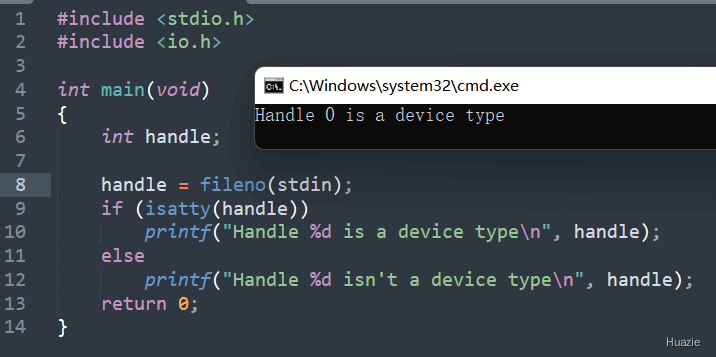
13.3 运行结果
14. ilogb,ilogbf,ilogbfl
14.1 函数说明
| 函数声明 | 函数功能 |
|---|---|
int ilogb (double x); |
获取 x 的对数的积分部分(double) |
int ilogbf (float x); |
获取 x 的对数的积分部分(float) |
int ilogbl (long double x); |
获取 x 的对数的积分部分(long double) |
如果计算成功,则返回 x 的对数的整数部分。如果 x 为 0,则此函数返回FP_ILOGB0 并报告错误。如果 x 是NaN值,则此函数返回 FP_ILOGBNAN 并报告错误。如果 x 是正无穷大或负无穷大,此函数将返回 INT_MAX 并报告错误。
14.2 演示示例
#include <stdio.h>
#include <math.h>

int main()
{
    int result;
    double x = 15.0;
    result = ilogb(x);
    printf("The integral part of the logarithm of double value %lf is %d\n", x, result);

    float xf = 15.0f;
    result = ilogbf(xf);
    printf("The integral part of the logarithm of float value %f is %d\n", xf, result);

    long double xL = 15.0L;
    result = ilogbl(xL);
    printf("The integral part of the logarithm of long double value %Lf is %d\n", xL, result);

    return 0;
}
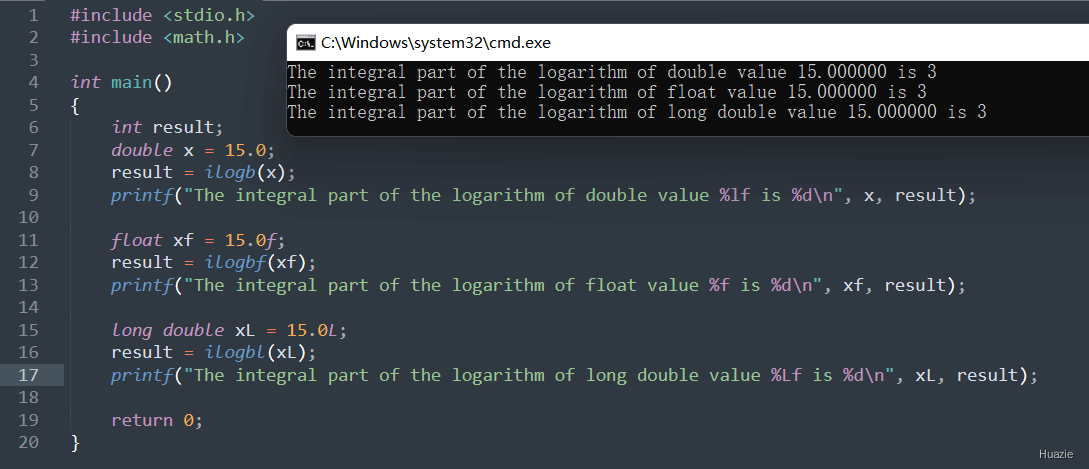
14.3 运行结果
15. isalnum
15.1 函数说明
| 函数声明 | 函数功能 |
|---|---|
int isalnum(int c); |
检查字符 c 是否为字母或数字 |
参数:
c: 待检查的字符
返回值:
- 若字符为字母或数字,返回非零值;
- 否则返回 0。
15.2 演示示例
#include <stdio.h>
#include <ctype.h>

int main()
{
    char ch = 'a';
    if (isalnum(ch))
    {
        printf("%c 是字母或数字\n", ch);
    }
    return 0;
}
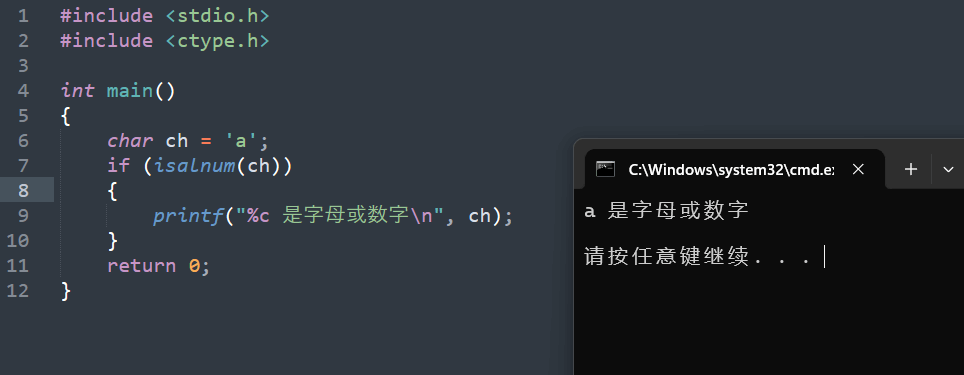
从上面示例中,我们可以看到 char 类型的 ch 变量传入了 isalnum 函数,而它函数声明中的入参是 int 类型,那这是为什么呢?
这其实同 C 语言的自动类型转换有关。 我们知道在 C 语言中,char 类型本质上是一种整数类型,它占用一个字节(8 位)的存储空间,用于存储字符的 ASCII 码值(或其他字符编码值)。例如,字符 'a' 的 ASCII 码值是 97。当将一个 char 类型的变量作为参数传递给 isalnum 这种期望 int 类型参数的函数时,C 编译器会自动将 char 类型的值提升为 int 类型。这种转换是隐式的,不需要程序员显式地进行类型转换操作。例如,当执行 isalnum('A') 时,字符 'A' 的 ASCII 码值 97 会被自动提升为 int 类型的 97,然后传递给 isalnum 函数进行处理。
15.3 运行结果
16. isalpha
16.1 函数说明
| 函数声明 | 函数功能 |
|---|---|
int isalpha(int c); |
检查字符 c 是否为(大写或小写)字母 |
参数:
c: 待检查的字符
返回值:
- 如果字符是(大写或小写)字母,返回非零值;
- 否则返回 0。
16.2 演示示例
#include <stdio.h>
#include <ctype.h>

int main()
{
    char ch = 'A';
    if (isalpha(ch))
    {
        printf("%c 是字母\n", ch);
    }
    return 0;
}
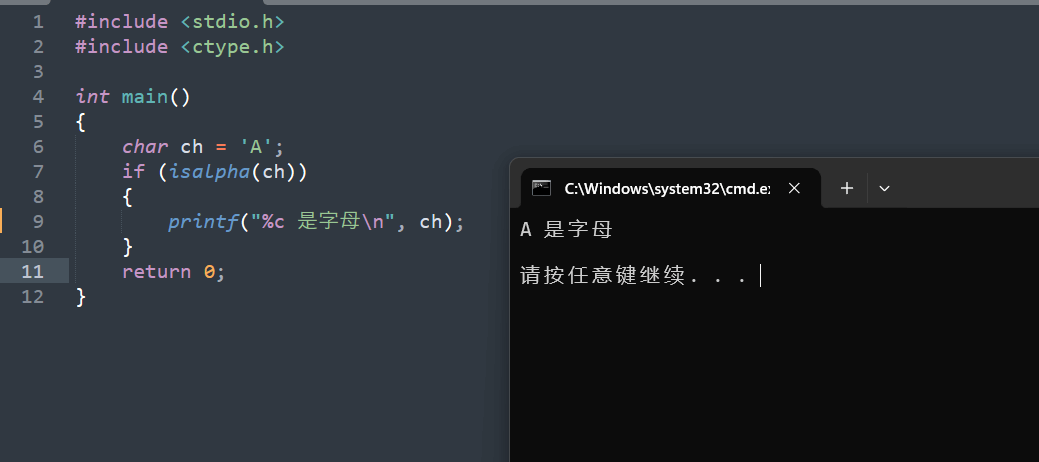
16.3 运行结果
17. isdigit
17.1 函数说明
| 函数声明 | 函数功能 |
|---|---|
int isdigit(int c); |
检查字符 c 是否为数字(0 - 9) |
参数:
c: 待检查的字符
返回值:
- 若字符是数字,返回非零值;
- 否则返回 0。
17.2 演示示例
#include <stdio.h>
#include <ctype.h>

int main()
{
    char ch = '5';
    if (isdigit(ch))
    {
        printf("%c 是数字\n", ch);
    }
    return 0;
}
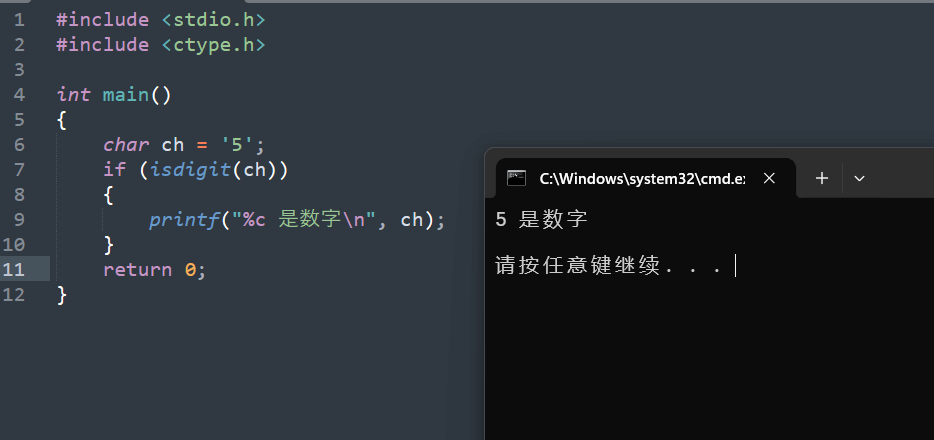
17.3 运行结果
18. isinf
18.1 函数说明
| 函数声明 | 函数功能 |
|---|---|
int isinf(double x); |
检查浮点数 x 是否为无穷大(正无穷或负无穷) |
参数:
x: 待检查的浮点数
返回值:
- 如果是无穷大,返回非零值;
- 否则返回 0。
18.2 演示示例
#include <stdio.h>
#include <math.h>

int main()
{
    double num = 1.0 / 0.0;
    if (isinf(num))
    {
        printf("该数是无穷大\n");
    }
    return 0;
}
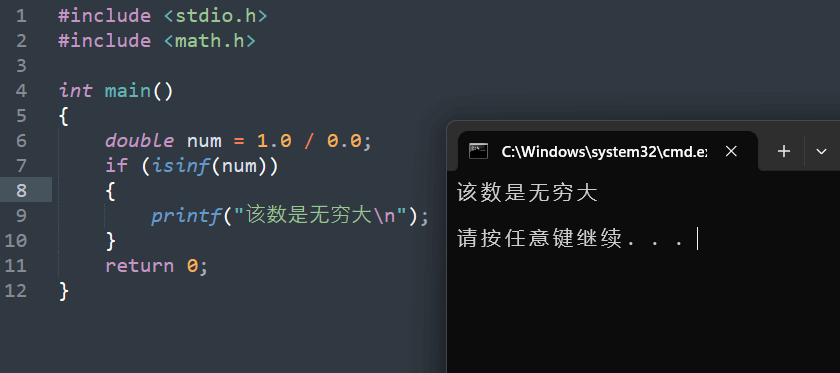
18.3 运行结果
19. isnan
19.1 函数说明
| 函数声明 | 函数功能 |
|---|---|
int isnan(double x); |
检查浮点数 x 是否为非数字(NaN) |
参数:
x: 待检查的浮点数
返回值:
- 如果是 NaN,返回非零值;
- 否则返回 0。
19.2 演示示例
#include <stdio.h>
#include <math.h>

int main()
{
    double num = sqrt(-1.0);
    if (isnan(num))
    {
        printf("该数是 NaN\n");
    }
    return 0;
}
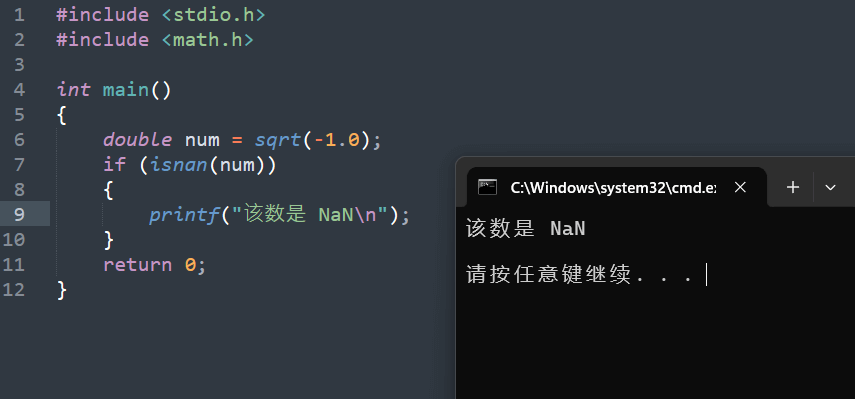
19.3 运行结果
20. isspace
20.1 函数说明
| 函数声明 | 函数功能 |
|---|---|
int isspace(int c); |
检查字符 c 是否为空白字符,如空格(’ ‘)、制表符(’\t’)、换行符(’\n’)等。 |
参数:
c: 待检查的字符
返回值:
- 若字符是空白字符,返回非零值;
- 否则返回 0。
20.2 演示示例
#include <stdio.h>
#include <ctype.h>

int main()
{
    char ch = ' ';
    if (isspace(ch))
    {
        printf("%c 是空白字符\n", ch);
    }
    return 0;
}
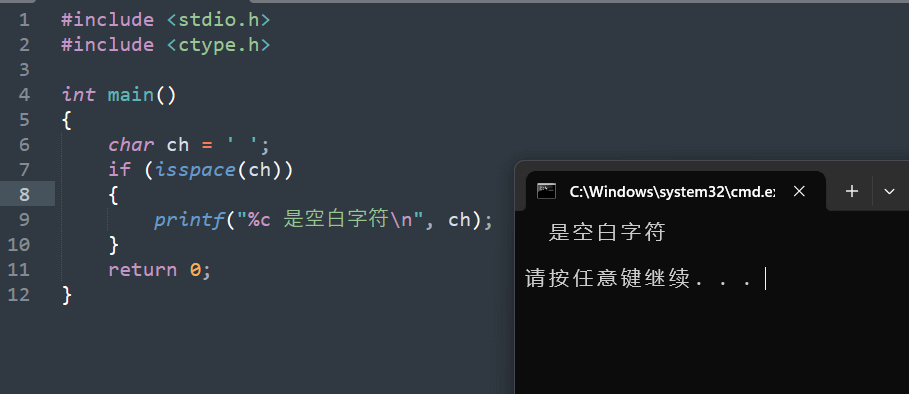
20.3 运行结果
21. itoa
21.1 函数说明
| 函数声明 | 函数功能 |
|---|---|
char * itoa(int value, char *string, int radix); |
把一整数转换为字符串 |
参数:
value: 被转换的整数string: 转换后储存的字符数组radix: 转换进制数,如2,8,10,16 进制等,大小应在2-36之间
21.2 演示示例
#include <stdlib.h>
#include <stdio.h>

int main(void)
{
   int number = 12345;
   char string[25];

   itoa(number, string, 2);
   printf("integer = %d string = %s\n", number, string);

   itoa(number, string, 8);
   printf("integer = %d string = %s\n", number, string);

   itoa(number, string, 10);
   printf("integer = %d string = %s\n", number, string);

   itoa(number, string, 16);
   printf("integer = %d string = %s\n", number, string);
   return 0;
}
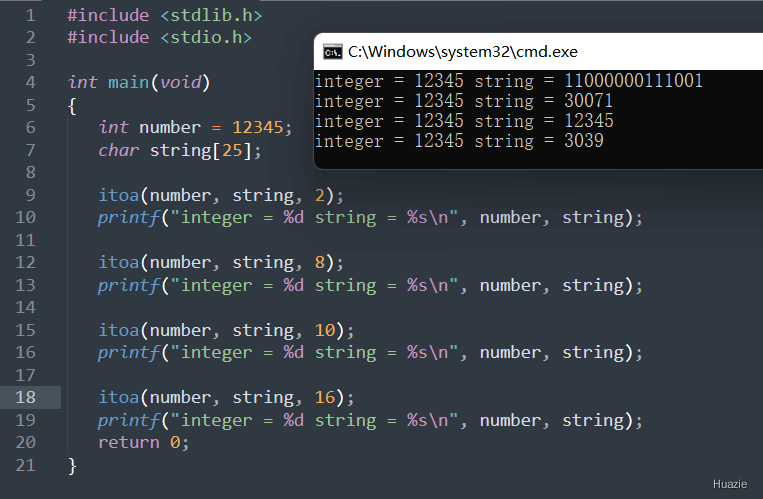
21.3 运行结果
参考
1. API Reference Document (https://www.apiref.com/c-zh/t_alph_i.htm)
2. ioctl (https://cloud.tencent.com/developer/article/2148753)

- 点赞
- 收藏
- 关注作者
评论(0)