高并发编程-Thread#interrupt用法及源码分析


官网
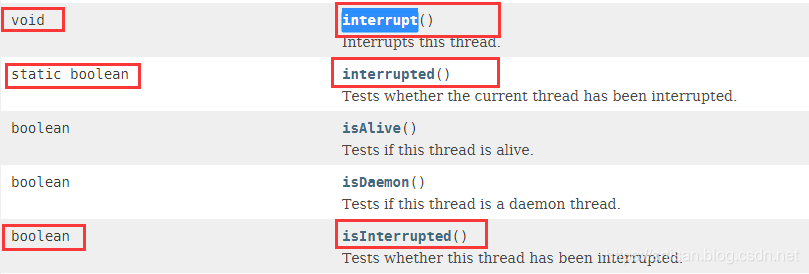
我们看下Java8中Thread类关于interrupt的几个方法
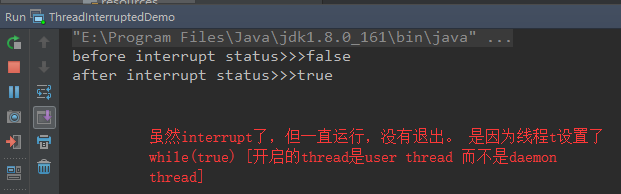
先来看下基本用法,我们后面的例子再该示例上拓展
package com.artisan.test;

public class ThreadInterruptedDemo {

    public static void main(String[] args) {
        // 定义一个线程  死循环 调用start后一直运行
        Thread t = new Thread(() -> {
            while (true) {
            }
        }, "t");
        // 启动线程
        t.start();

        // 查看t的状态
        System.out.println("before interrupt status>>>" + t.isInterrupted());
        // interrupt
        t.interrupt();
        // 查看t的状态
        System.out.println("after interrupt status>>>" + t.isInterrupted());

    }
}
- 1
- 2
- 3
- 4
- 5
- 6
- 7
- 8
- 9
- 10
- 11
- 12
- 13
- 14
- 15
- 16
- 17
- 18
- 19
- 20
- 21
- 22
- 23
- 24
运行
方法&源码
查看官方的API,可以看到 关于interrupt的 我们可以调用的API 主要有3个
void	interrupt()
	----Interrupts this thread.
static boolean	interrupted()
	---Tests whether the current thread has been interrupted.
boolean	isInterrupted()
	----Tests whether this thread has been interrupted
- 1
- 2
- 3
- 4
- 5
- 6
- 7
- 8
void interrupt()
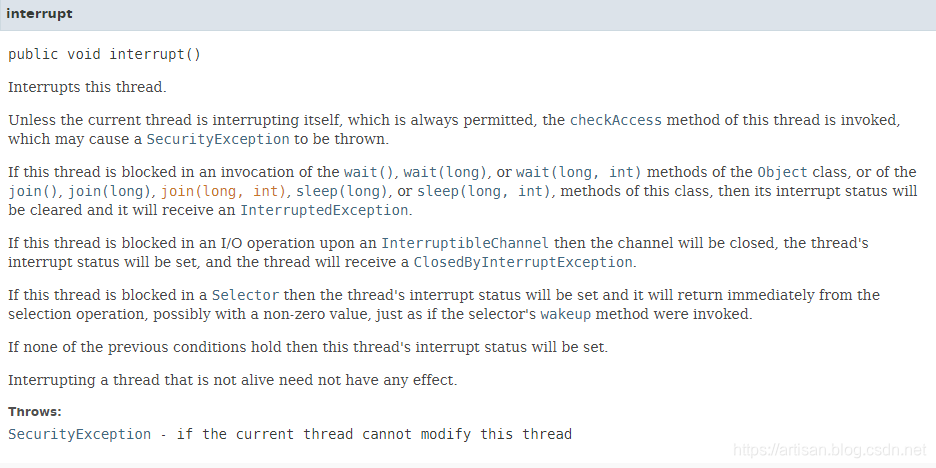
大致意思是说:
除非当前线程正在中断自身(始终允许),否则将调用此线程的checkAccess方法,这可能导致抛出SecurityException。
如果在调用Object类的wait(),wait(long)或wait(long,int)方法,或者join(),join(long),join(long,int)方法中阻塞了这个线程,sleep(long)或sleep(long,int),这个类的方法,然后它的中断状态将被清除,它将收到InterruptedException。
如果在InterruptibleChannel上的I / O操作中阻塞了该线程,则该通道将被关闭,线程的中断状态将被设置,并且线程将收到ClosedByInterruptException。
如果此线程在Selector中被阻塞,则线程的中断状态将被设置,并且它将立即从选择操作返回,可能具有非零值,就像调用选择器的唤醒方法一样。
如果以前的条件都不成立,则将设置该线程的中断状态。
中断不活动的线程不会产生任何影响
我们来看下源码,我这里标注了下注释
 public void interrupt() {

	    // 如果不是当前线程,抛出SecurityException异常
        if (this != Thread.currentThread())
            checkAccess();
		// 对blockerLock对象加锁  private final Object blockerLock = new Object();
        synchronized (blockerLock) {
            Interruptible b = blocker;
            if (b != null) {
                interrupt0();           // 调用interrupt0 这个native的方法 :Just to set the interrupt flag
                b.interrupt(this);
                return;
            }
        }
        interrupt0();
    }
- 1
- 2
- 3
- 4
- 5
- 6
- 7
- 8
- 9
- 10
- 11
- 12
- 13
- 14
- 15
- 16
- 17
boolean isInterrupted() vs static boolean interrupted()
写个例子 ,都在注释里了。
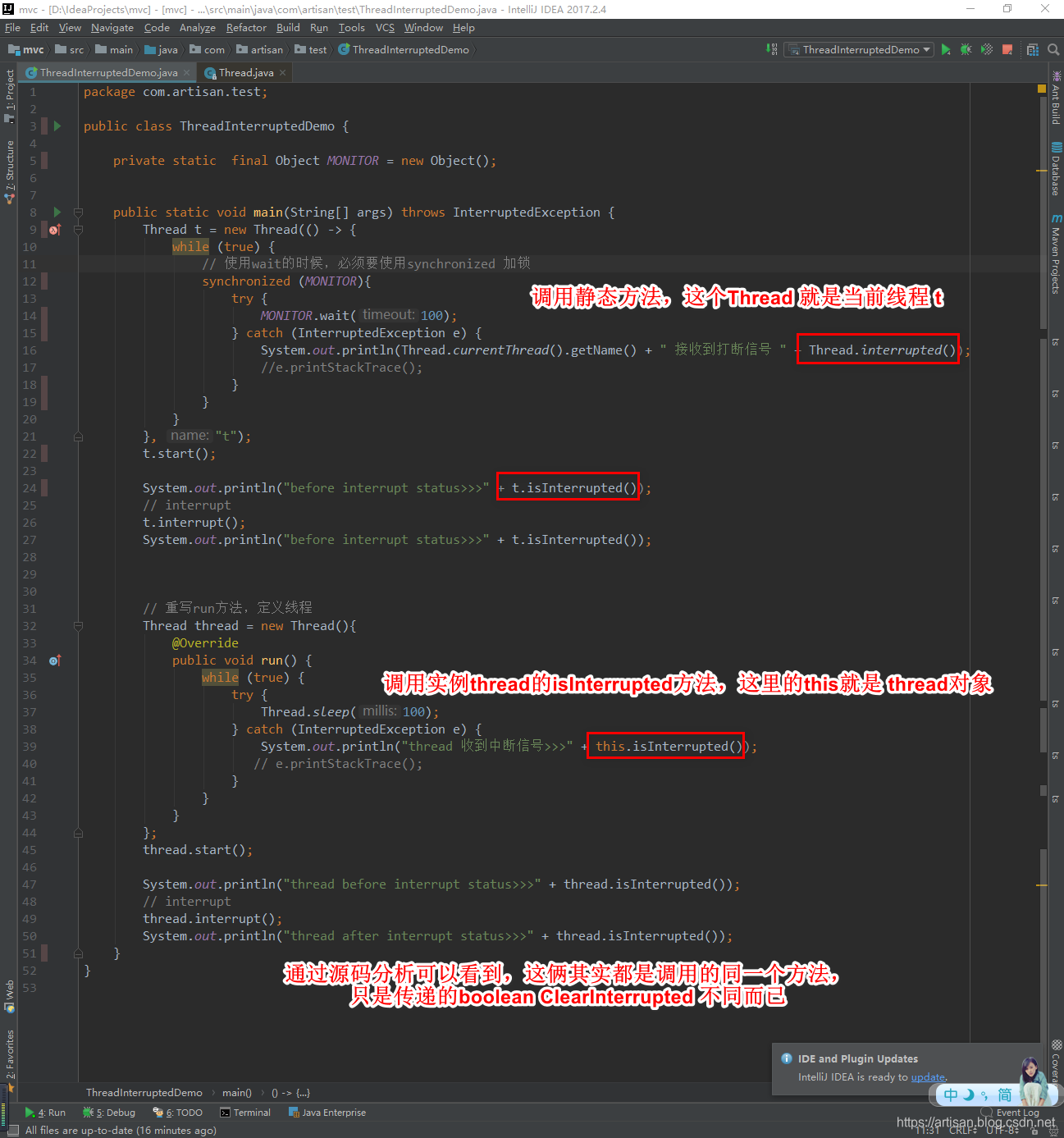
方法&示例
void interrupt()
sleep()方法中测试interrupt
package com.artisan.test;

public class ThreadInterruptedDemo {

    public static void main(String[] args) throws InterruptedException {
        Thread t = new Thread(() -> {
            while (true) {
                try {
                    Thread.sleep(100);
                } catch (InterruptedException e) { // 捕获InterruptedException
                    System.out.println(Thread.currentThread().getName() + " 接收到打断信号 ");
                    e.printStackTrace();
                }
            }
        }, "t");
        t.start();

        System.out.println("before interrupt status>>>" + t.isInterrupted());
        // interrupt
        t.interrupt();
        System.out.println("after interrupt status>>>" + t.isInterrupted());

    }
}
- 1
- 2
- 3
- 4
- 5
- 6
- 7
- 8
- 9
- 10
- 11
- 12
- 13
- 14
- 15
- 16
- 17
- 18
- 19
- 20
- 21
- 22
- 23
- 24
- 25
- 26
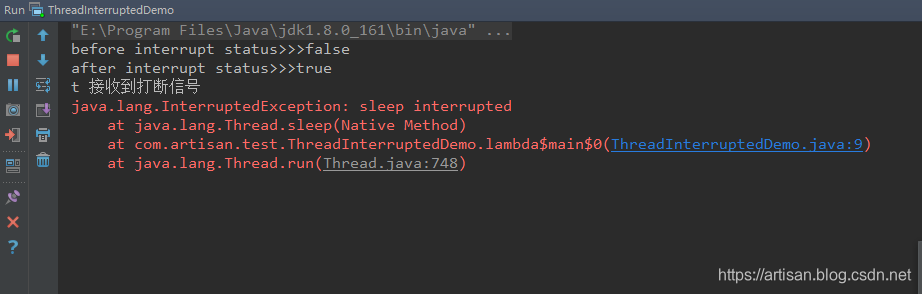
虽然捕获了InterruptedException,但是该程序依旧还是运行,并没有退出
wait()方法中测试interrupt
package com.artisan.test;

public class ThreadInterruptedDemo {

    private static  final Object MONITOR = new Object();


    public static void main(String[] args) throws InterruptedException {
        Thread t = new Thread(() -> {
            while (true) {
                // 使用wait的时候,必须要使用synchronized 加锁
                synchronized (MONITOR){
                    try {
                        MONITOR.wait(100);
                    } catch (InterruptedException e) {
                        System.out.println(Thread.currentThread().getName() + " 接收到打断信号 ");
                        e.printStackTrace();
                    }
                }
            }
        }, "t");
        t.start();

        System.out.println("before interrupt status>>>" + t.isInterrupted());
        // interrupt
        t.interrupt();
        System.out.println("after interrupt status>>>" + t.isInterrupted());

    }
}
- 1
- 2
- 3
- 4
- 5
- 6
- 7
- 8
- 9
- 10
- 11
- 12
- 13
- 14
- 15
- 16
- 17
- 18
- 19
- 20
- 21
- 22
- 23
- 24
- 25
- 26
- 27
- 28
- 29
- 30
- 31
- 32
使用wait的时候,必须要使用synchronized 加锁,这里对一个Object对象加锁
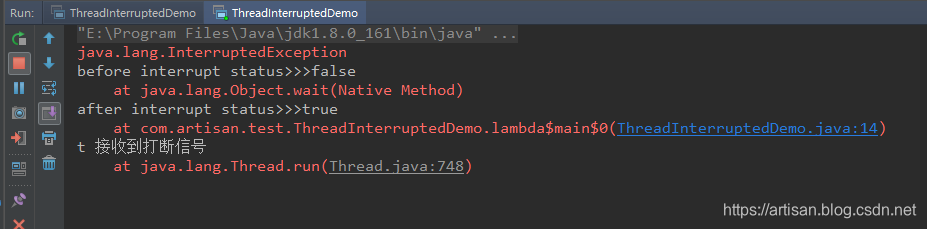
虽然捕获了InterruptedException,但是该程序依旧还是运行,并没有退出
join方法中测试interrupt
这个比较有意思,我们来逐步的测试下
先搭个基本的架子
package com.artisan.test;

public class ThreadInterruptedDemo {

    public static void main(String[] args)  {
        Thread t = new Thread(() -> {
            while (true) {

            }
        }, "t");

        // 启动
        t.start();

        // join
        try {
            t.join();
        } catch (InterruptedException e) {
            System.out.println("收到中断信号...");
            e.printStackTrace();
        }

        System.out.println("这里永远都不会执行到,因为t是个死循环... ");

    }
}
- 1
- 2
- 3
- 4
- 5
- 6
- 7
- 8
- 9
- 10
- 11
- 12
- 13
- 14
- 15
- 16
- 17
- 18
- 19
- 20
- 21
- 22
- 23
- 24
- 25
- 26
- 27
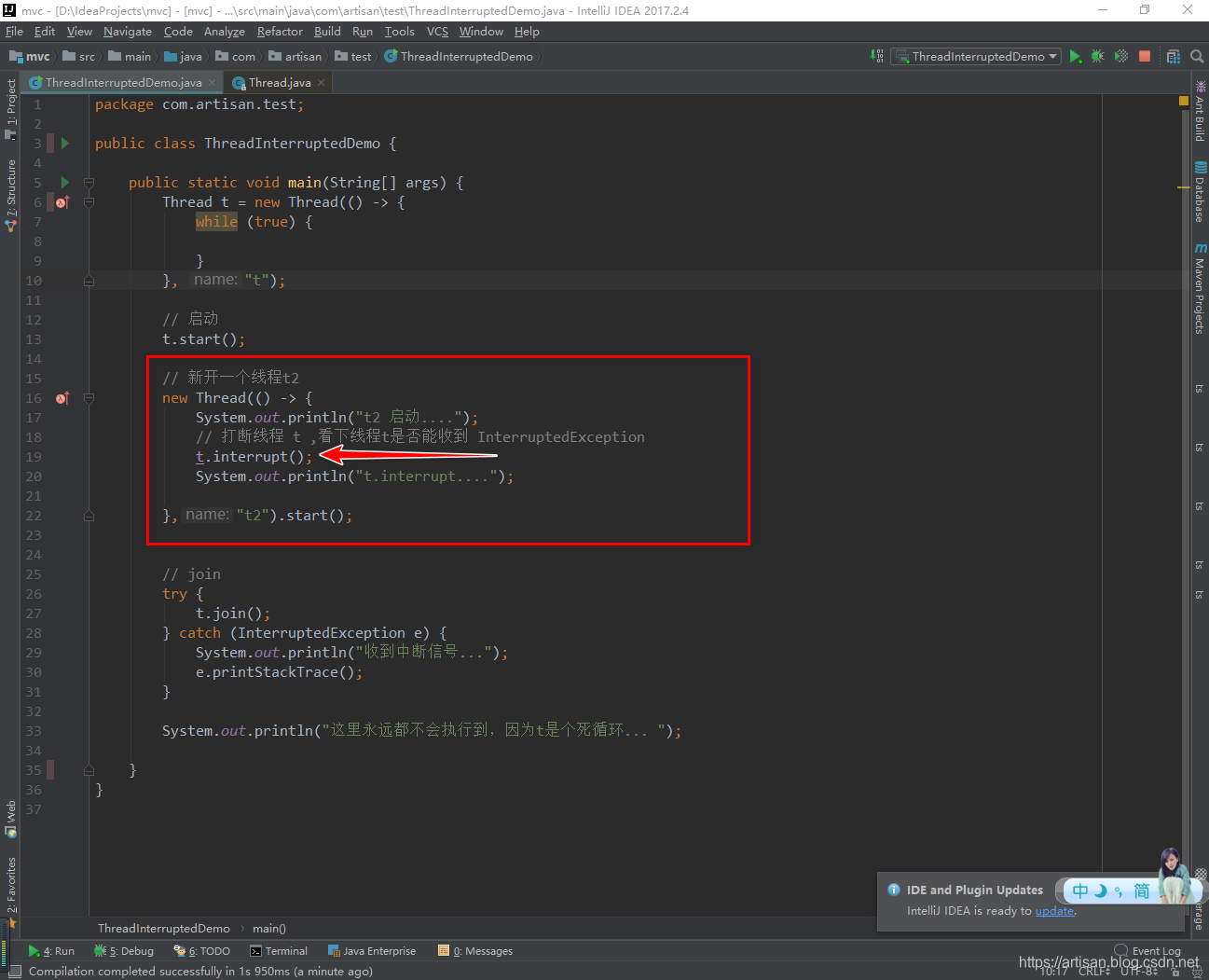
因为一旦 join方法执行了以后,后面的代码都会被阻塞住,因此必须要在join之前开辟另外一个线程
为了直观,我们直接贴图吧
运行结果:
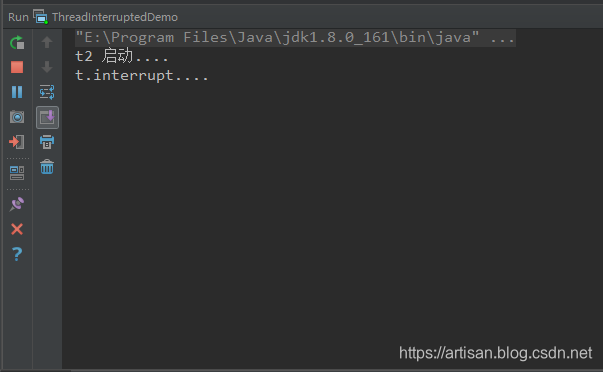
**并没有出现我们期望的InterruptedException **,w t f…
我们来分析下,上面的两个例子 。
sleep 我们sleep的是 t 线程,我们调用了t.interrupt,收到了InterruptedException
wait 我们wait的也是t 线程,我们调用了t.interrupt,收到了InterruptedException
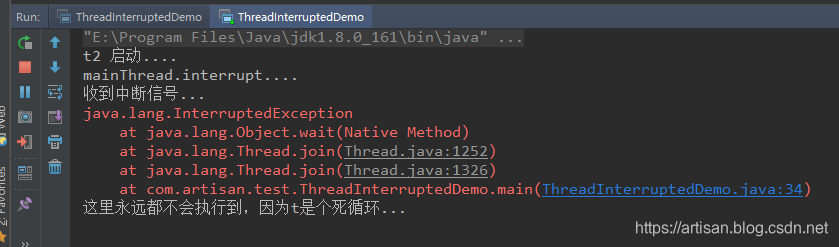
但是我们join的时候,t.join ,这个时候join的不是线程t,是join的main线程 ,所以必须用main线程来调用interrupt , 改造下
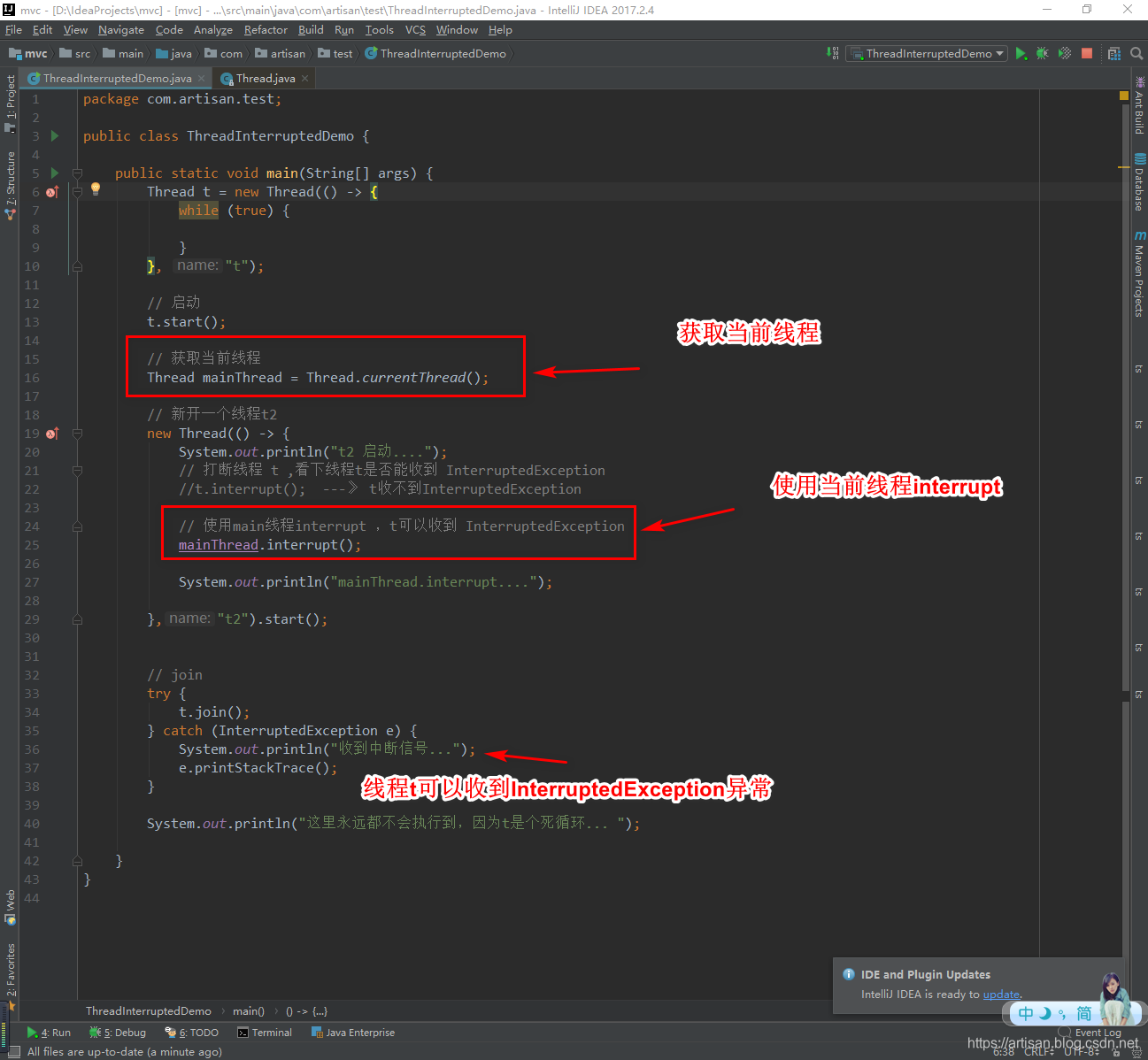
运行日志
boolean isInterrupted() 和 static boolean interrupted()
文章来源: artisan.blog.csdn.net,作者:小小工匠,版权归原作者所有,如需转载,请联系作者。
原文链接:artisan.blog.csdn.net/article/details/101002135

- 点赞
- 收藏
- 关注作者
评论(0)